

Calliana — Virtual Receptionist Call Platform
A browser-based call workspace for virtual receptionists: caller ID, client context, scripts, calendars and voicemail in one place.
About the project
Calliana runs a virtual receptionist service. Its agents answer calls on behalf of medical, dental and professional practices, often from far away, and handle each call the way that practice wants: identify the caller, follow the practice's instructions, book appointments, take messages and pass the result back.
The company asked us to replace its ageing in-house system. This isn't a classic CRM. It's a call workspace that links live phone calls to client context, scripts, calendars and follow-up.
Our role: product design and full-stack development: UX/UI for all three roles, the React frontend, and the Node.js backend and database.
The problem
- A dated, crowded interface. New agents struggled to know what to do next during a live call.
- Context in too many places. Caller history, the practice's instructions, the calendar and scripts all lived on different screens.
- Easy-to-break call rules. Missed calls must be called back and completed before the practice sees them as handled; after-hours calls follow different rules.
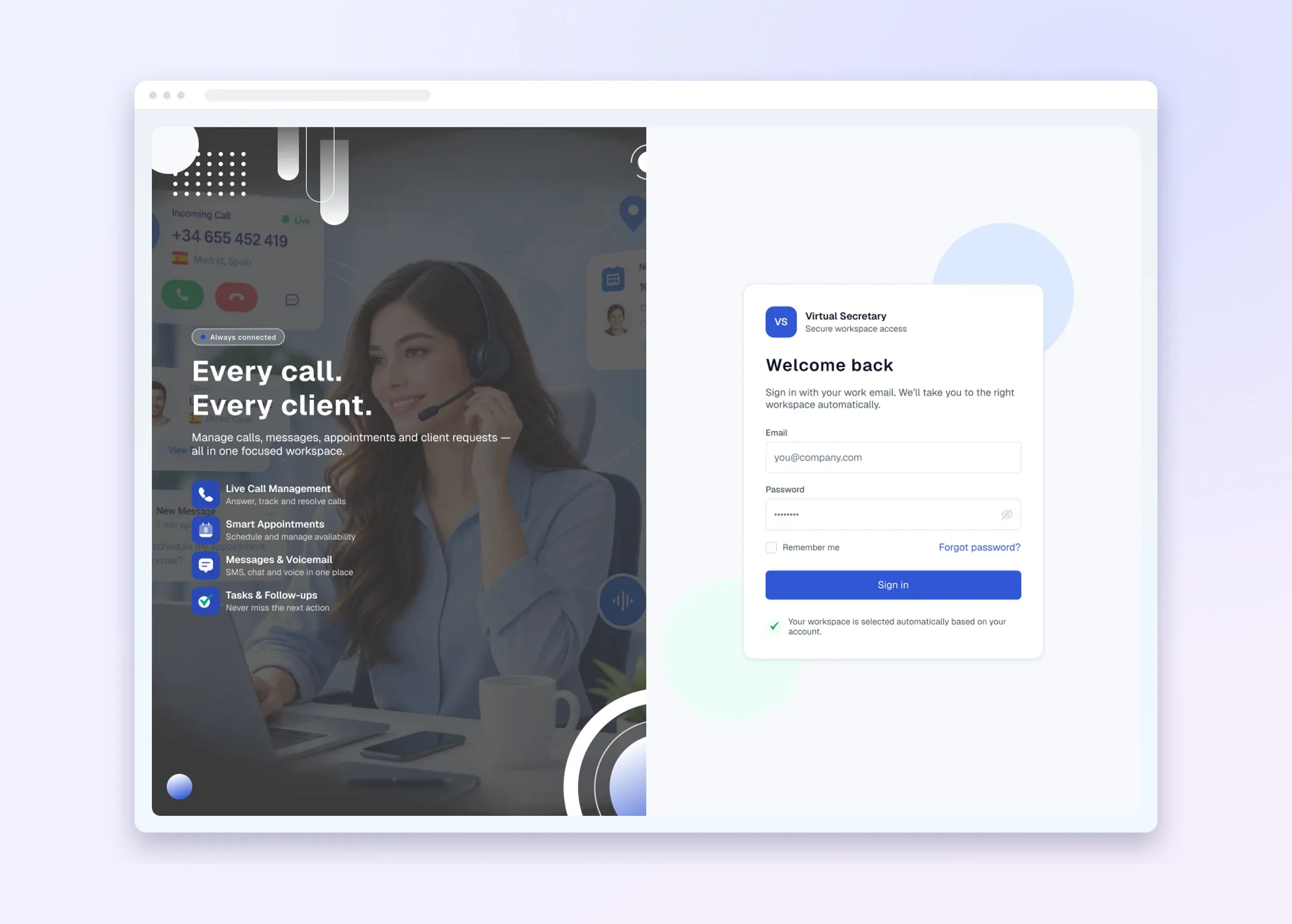
- No proper client or admin side. Practices and administrators needed their own tools, designed from scratch because the old screens weren't available.
The solution
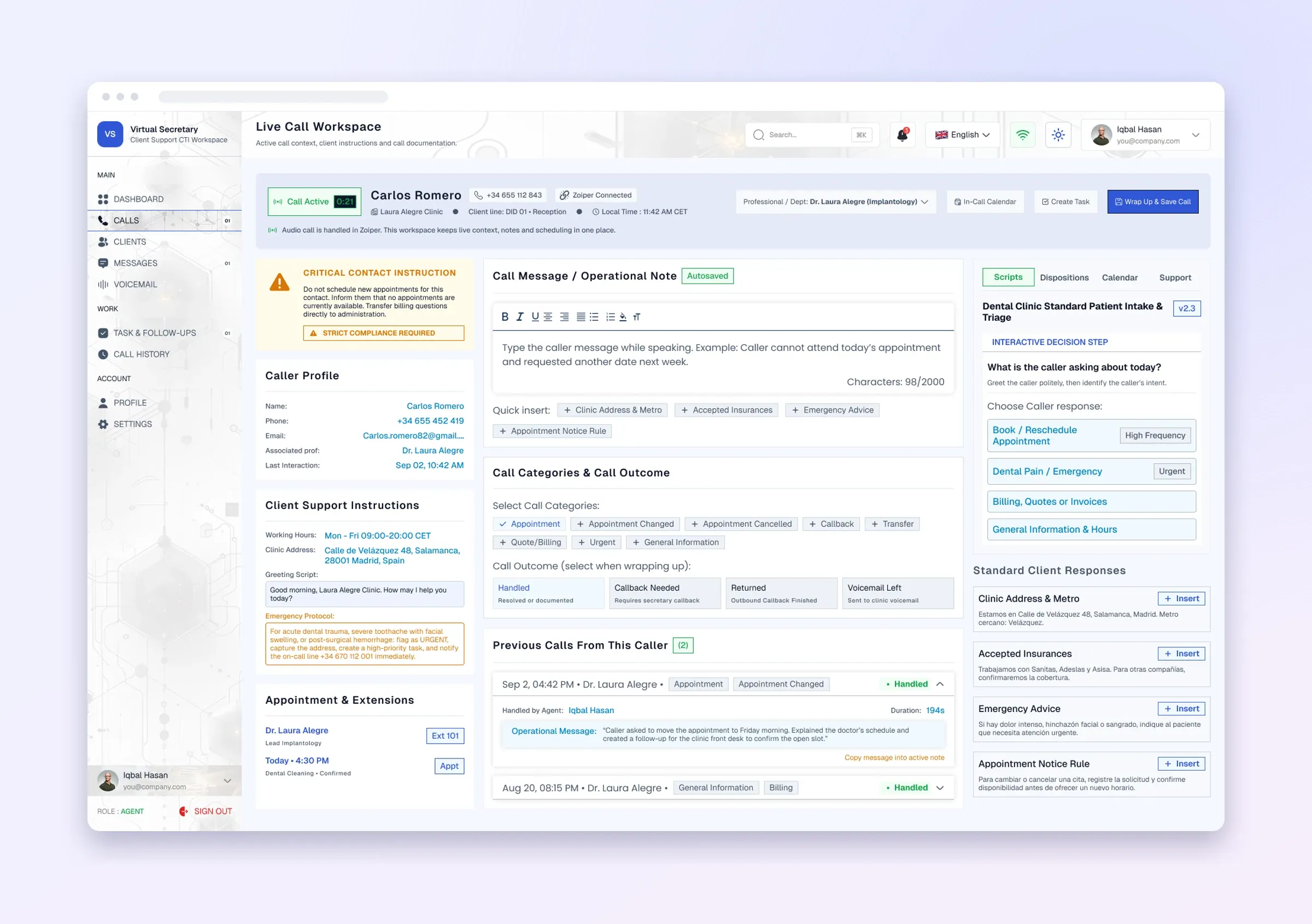
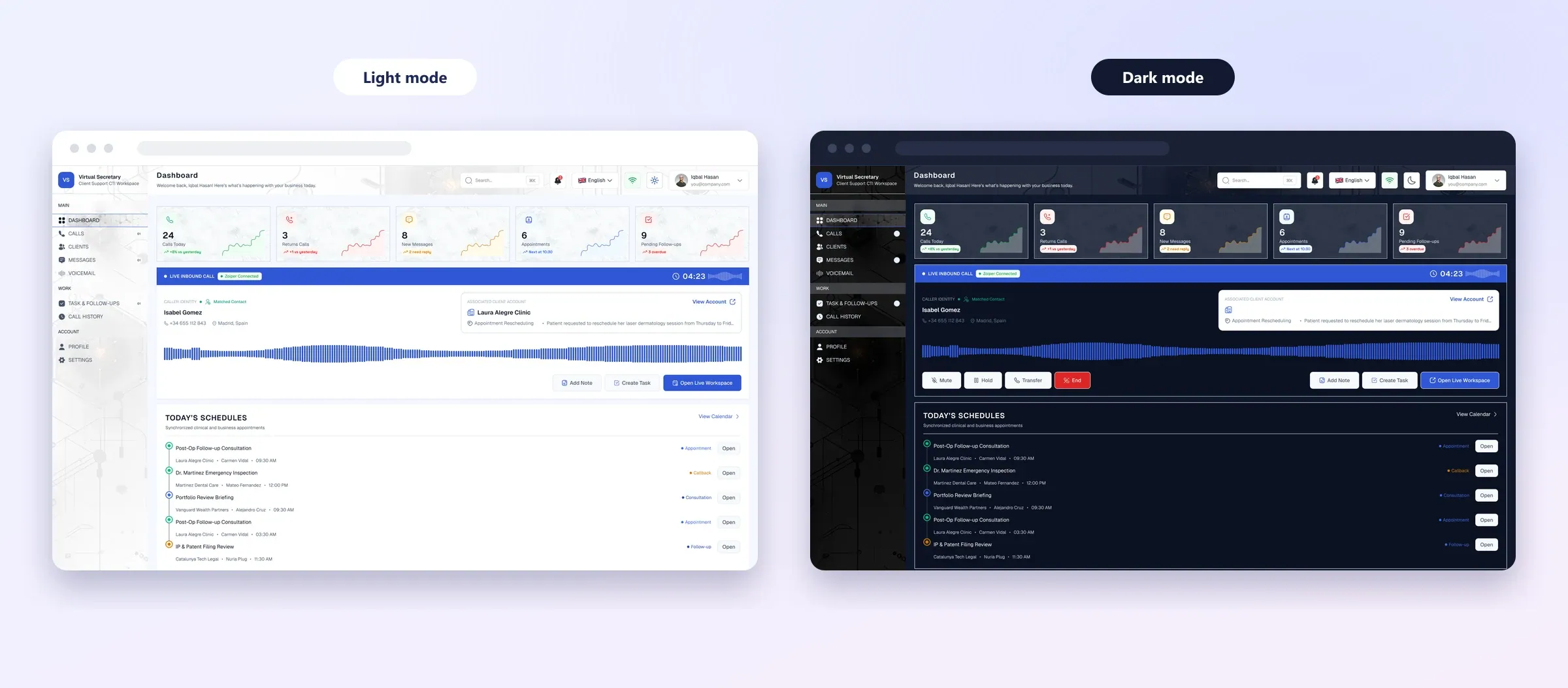
Agent workspace: everything for the call on one screen
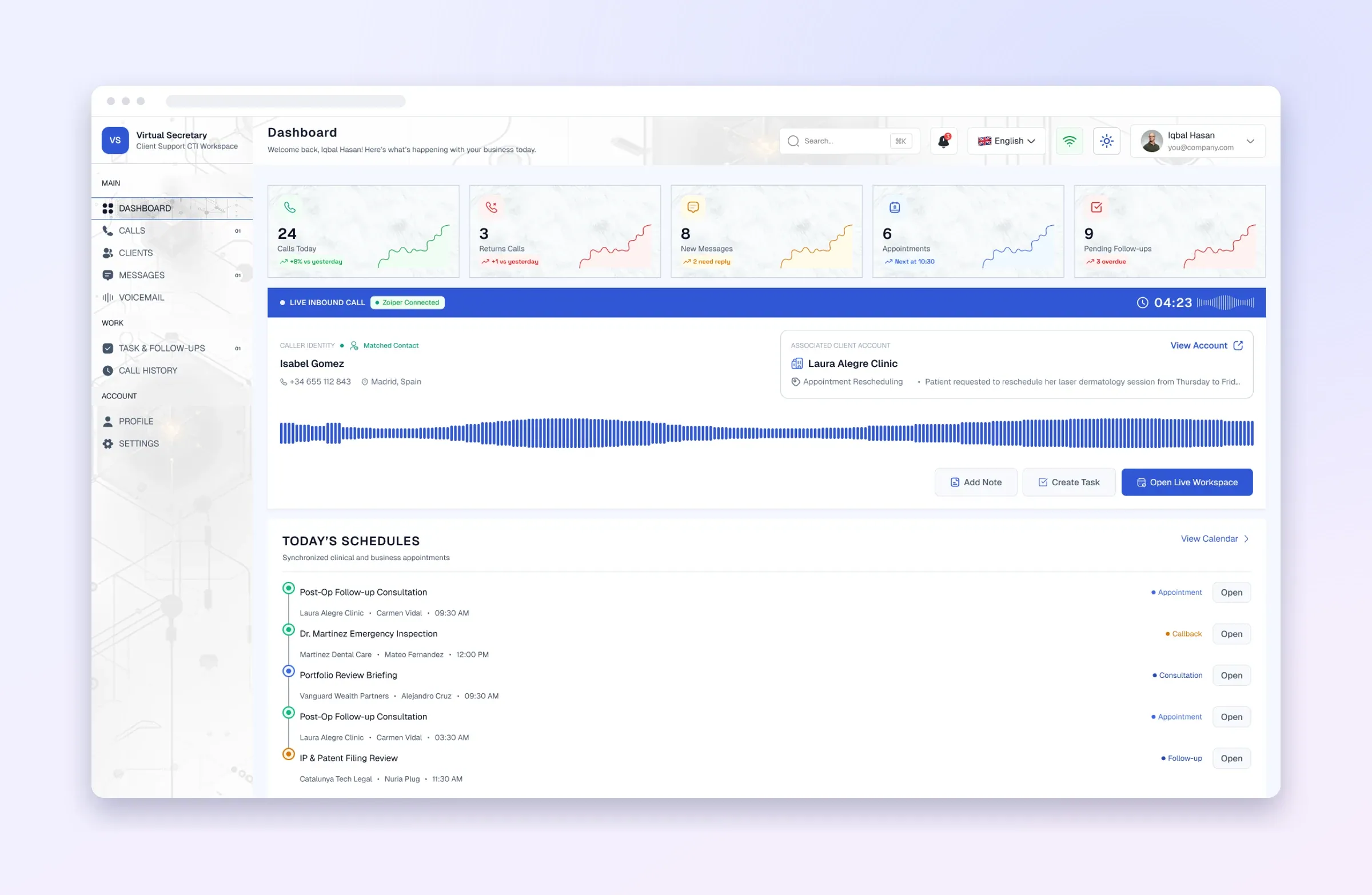
- Incoming number shown and matched to a known contact and practice
- Practice and sub-client (e.g. the specific doctor) with the practice's local time and current appointment
- Fast note-taking, several categories per call (appointment, callback, urgent, quote, lead…), live call timer
- Earlier calls from the same caller, searchable call history, and recordings where the phone system provides them
- Keyboard shortcuts for saved responses and common call actions
Scripts and dispositions
- Decision-tree scripts that step the agent through each practice's protocol
- Quick-reference instructions and saved responses, all usable without leaving the call
Calendar and tasks
- A calendar per practice with day, week and month views, confirmations, and a record of who booked what
- Appointments made during a call flow straight into the call record
- Tasks linked to calls and clients, assigned to agents, with status and filters
Voicemail and messaging
- Voicemail inbox with playback, download, transcription and one-click callback
- SMS history and sending, WhatsApp, and a live chat between practices and the agent team
Client portal and admin panel
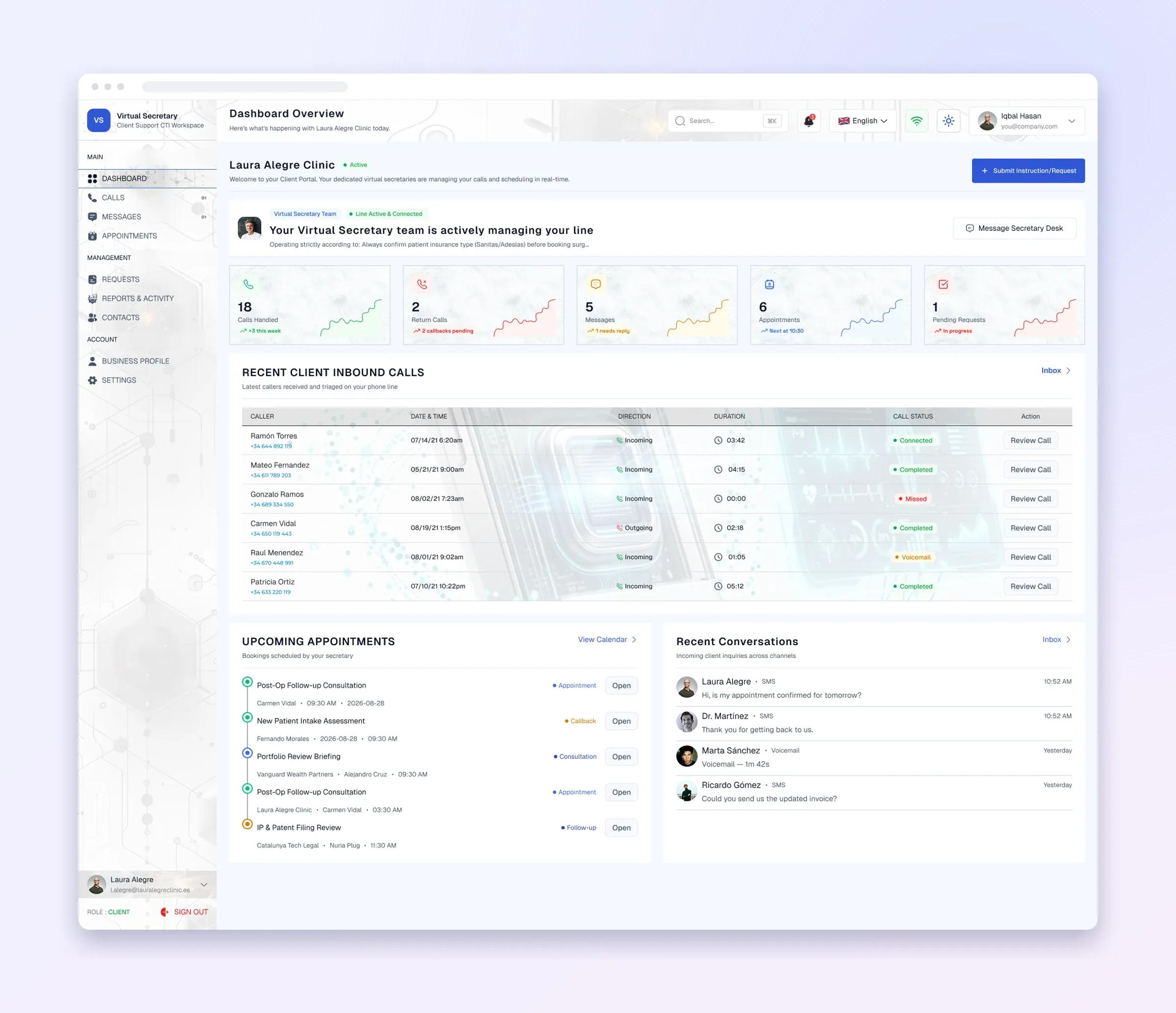
- Practices see their call log, add notes or request follow-up, and manage their profile, contacts, calendar and notifications
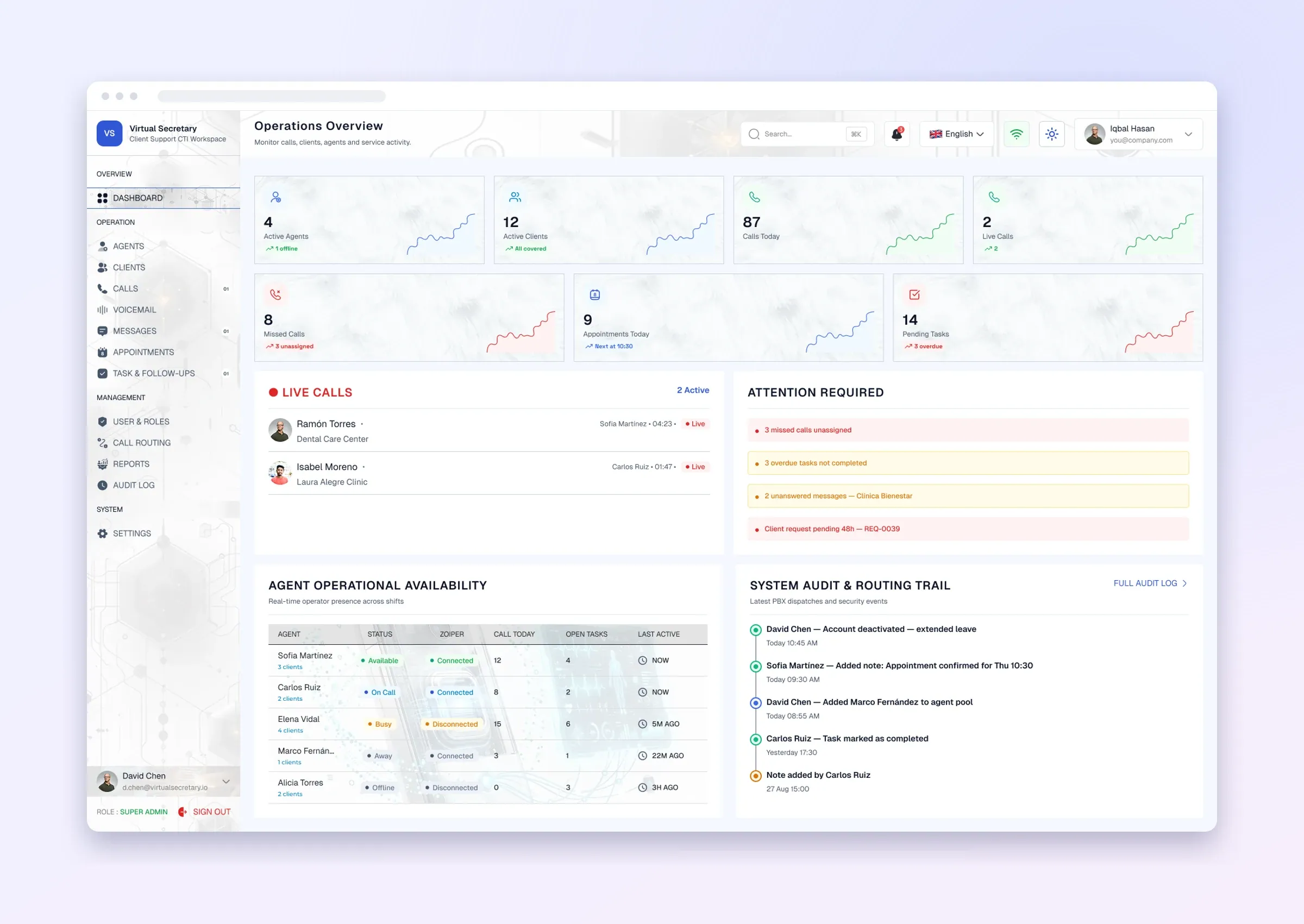
- Admins onboard practices and sub-clients, manage phone numbers and routing, assign agents to accounts, review recordings for QA and follow call analytics
Missed calls, handled properly
- A missed call becomes a callback task; only after the callback is completed does the practice see it as handled
- After-hours calls are kept separate with an explicit status
Under the hood
- Frontend: React, responsive role-aware dashboards, real-time updates over WebSockets
- Backend: Node.js REST API, role-based access control, audit logs for important actions
- Data: PostgreSQL for practices, sub-clients, contacts, calls, scripts, calendars, tasks and messages
- Integrations: adapters for telephony, SMS/WhatsApp, email and voicemail transcription, so a provider can be swapped without touching the business logic
Where it stands
The UX/UI for all three roles and the full frontend are complete, and the backend is mostly done. The last step is connecting the remaining third-party services (telephony events, messaging, email and transcription providers) and testing every call flow end to end before launch.
“The live call is the product. Every other screen exists to help an agent answer correctly and pass the result to the right person.” — ZeeTech
More work

Related projects

Supreme Prospects —Athletic Recruitment Platform
A multi-tenant recruitment platform for athletes, parents, scouts, coaches and compliance staff, with recruiting rules built into every message.

Nexus Courier —Logistics Operations Platform
An enterprise courier platform connecting clients, dispatchers and drivers. We built its admin and corporate client dashboards.
Start a project / Project inquiry
Tell us what you’re building.A few useful details are enough.
We use the context to understand the problem before suggesting scope, timeline or the right next step.
Before you send it
Three things make the first conversation useful.
- 01What exists today?A new idea, a current product, or a system that already has users.
- 02What is getting in the way?User problems, technical debt, missing workflows, or delivery bottlenecks.
- 03What should change?The result you want for users, the team, or the business.

Client Stories
VERIFIED CLIENTENDORSEMENTS.
We value each and every client’s feedback which helps us to improve.

“ZeeTech re-architected our entire telematics ingestion pipeline. We went from dropping WebSocket packets during morning dispatch rushes to handling 50,000 live vehicle GPS streams with 18ms latency.”

Marcus Vance
VP of Engineering — FleetPulse Logistics